
Private offline vault
Store your documents and images locally on your device so your records stay accessible even without the internet.
Save documents and images in a private offline vault with custom metadata, fast search, and AI-powered auto fields for images.
Private offline vault for IDs, certificates, receipts, forms, and images
Custom metadata fields and fast search by name or saved details
On-device AI auto fields for images with no cloud dependency


Private
Keep records locally on your device
Smart
Auto-generate useful metadata fields
Fast
Search by file name or saved details
Built For Privacy
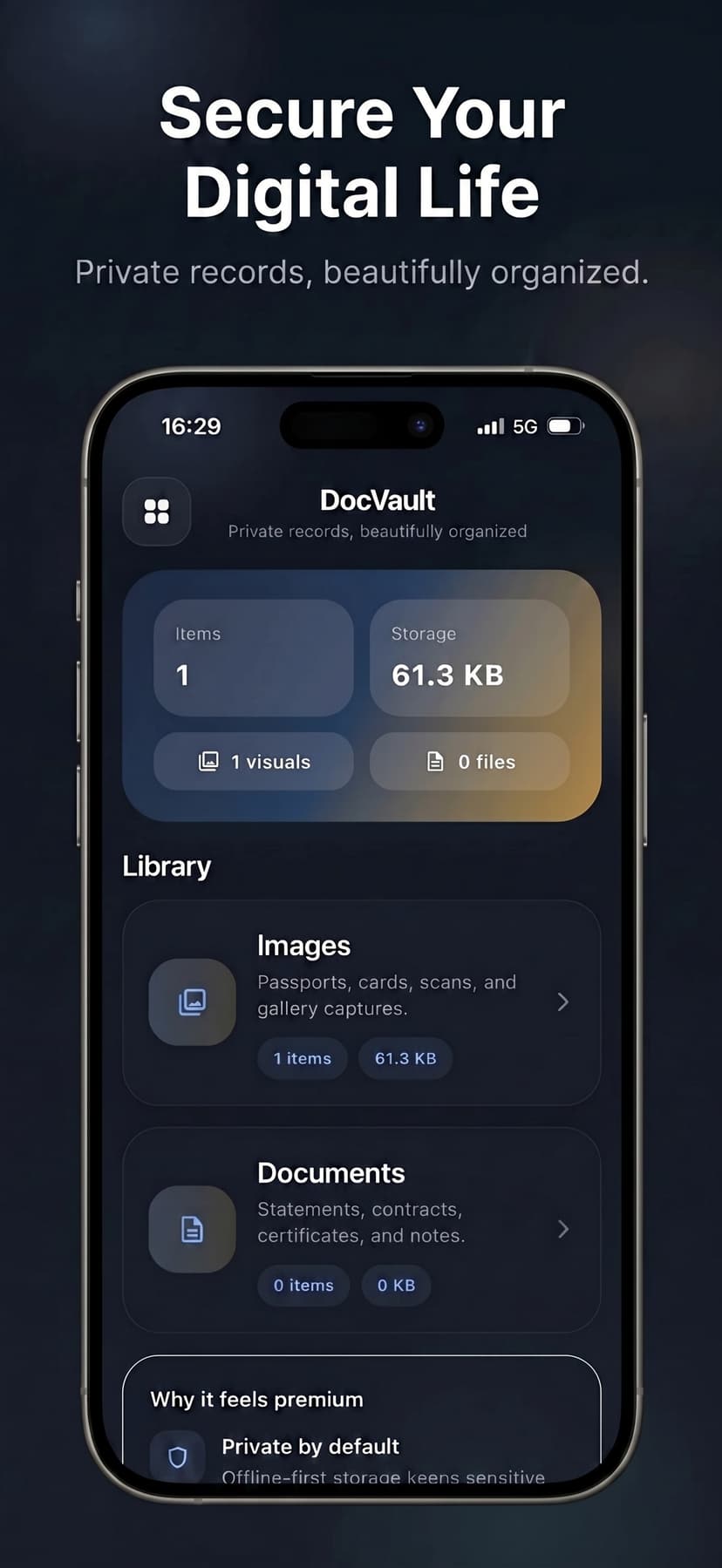
DocVault keeps important files, cards, scans, and personal records searchable, local, and instantly accessible without relying on the cloud.
Items
1
Storage
61.3 KB
Visuals
1 saved
Metadata tags
4 ready
Why people use DocVault
Organize documents and images in one clean vault
Auto-generate metadata fields from images with on-device AI
Add custom metadata for smarter search
Find files by name or saved details
Import from Files, gallery, or camera
Access everything offline
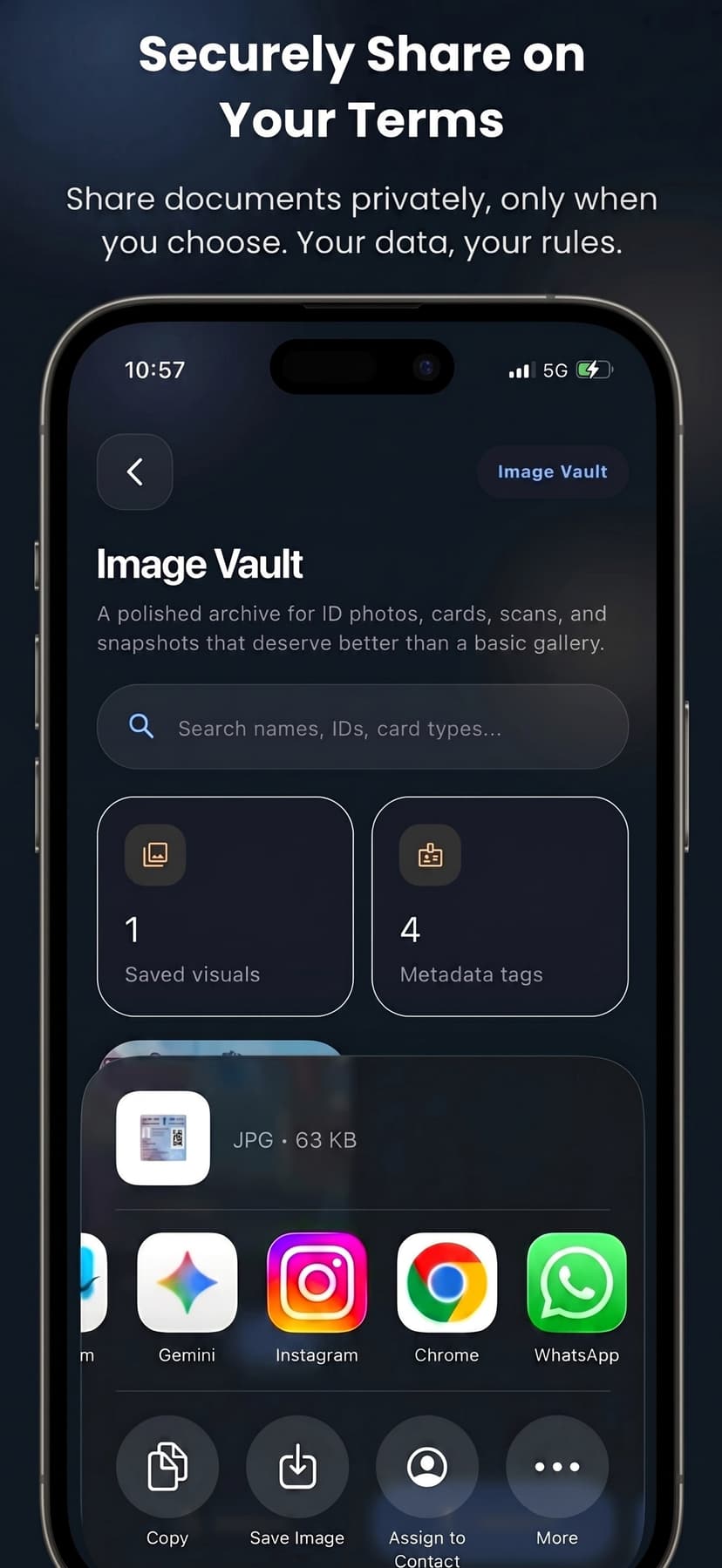
Share documents and images quickly when needed
Features
DocVault is built for people who want privacy, speed, and structure across documents, images, and personal records.
Store your documents and images locally on your device so your records stay accessible even without the internet.
Keep cards, passports, certificates, receipts, and snapshots in one clean library built for quick retrieval.
On-device ML Kit named entity extraction suggests useful metadata from images to save you time.
Find files by saved details, copy key data in seconds, and share only when you choose.
Screens
The product flow moves from secure storage to smarter image organization, rich metadata access, and controlled sharing.
Store IDs, documents, and images completely offline in one polished archive.
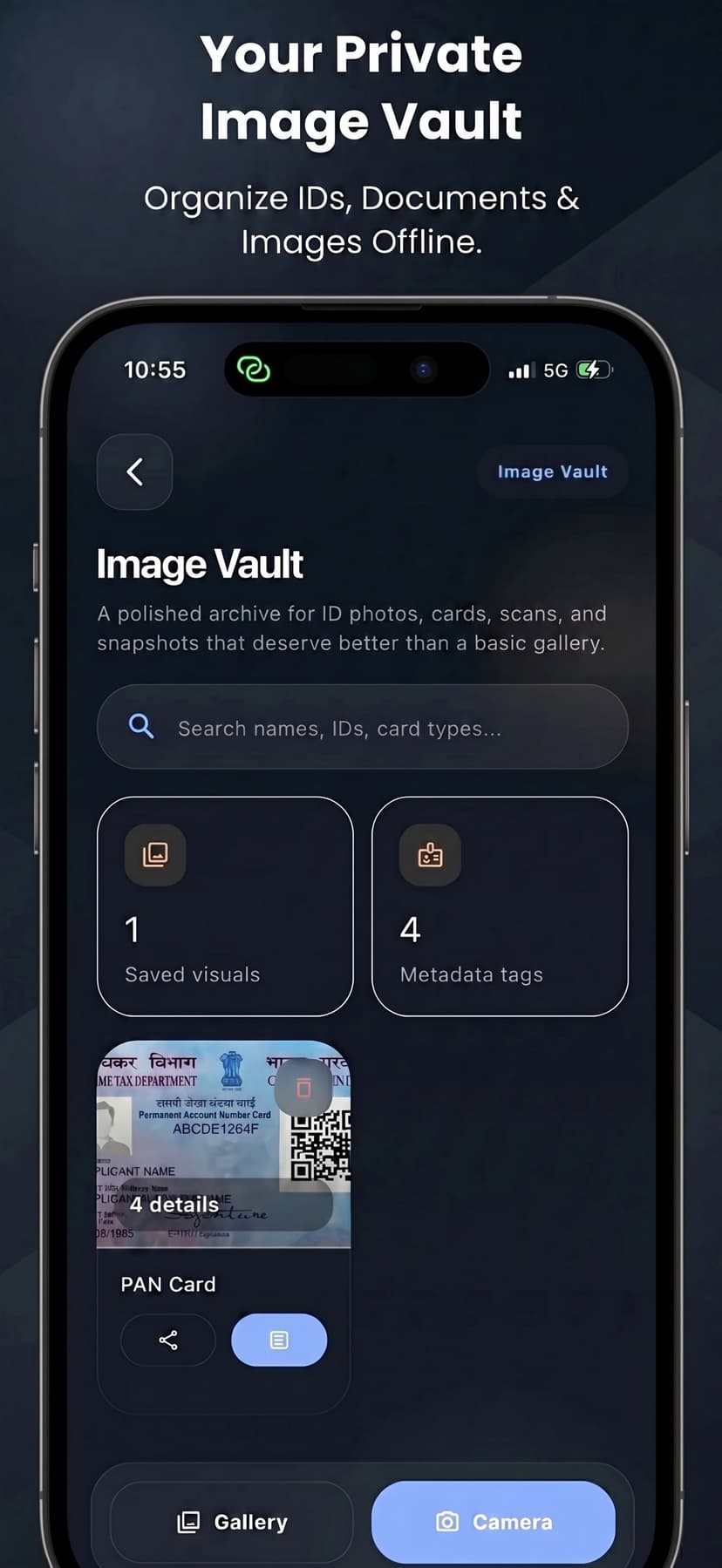
Save scans, cards, and snapshots with searchable metadata and quick import actions.
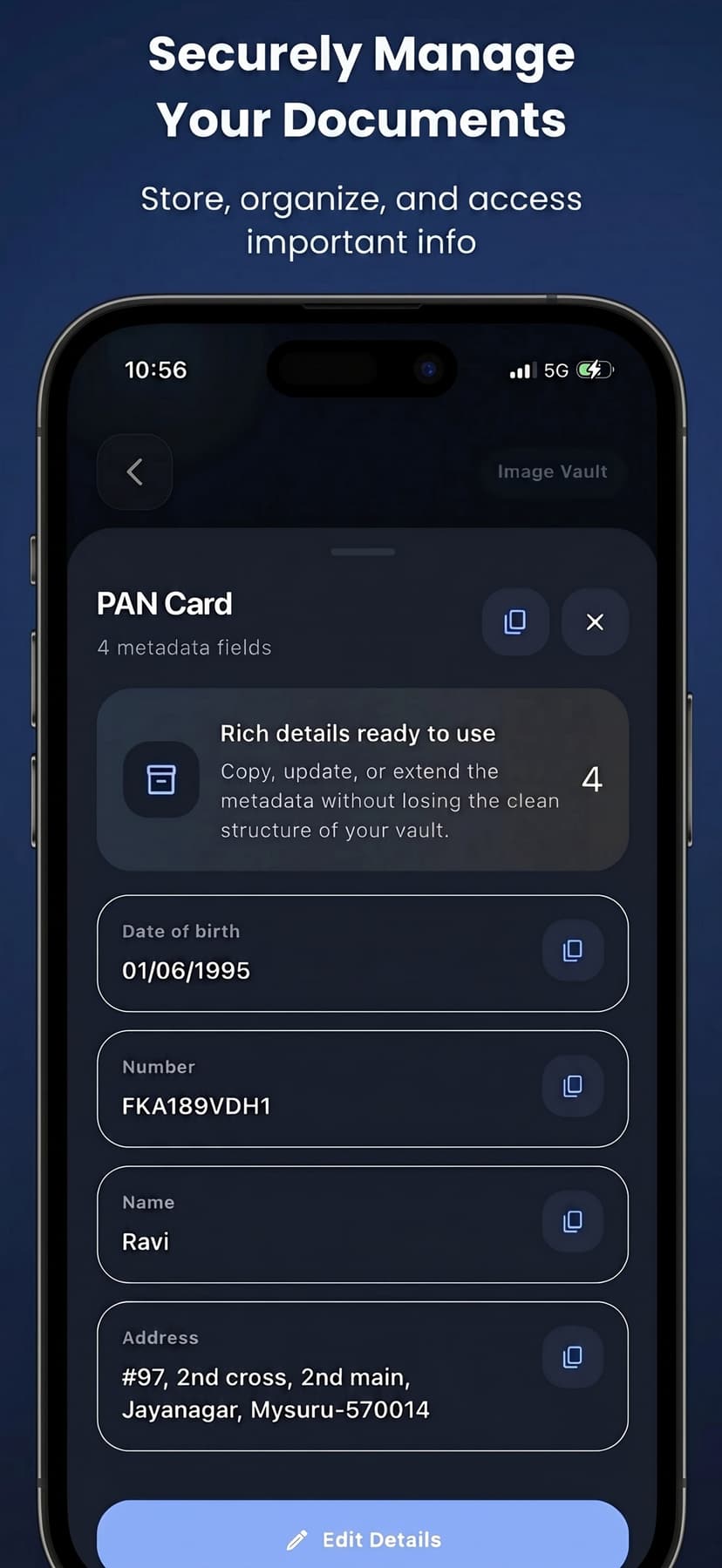
Open a record and copy or reuse saved fields in seconds.
Share documents or images only when you choose and keep everything private by default.
Metadata
Save custom metadata, review AI-generated fields, and keep records structured so they are easier to search, copy, and share.
PAN Card
4 metadata fields
Rich details ready to use
Copy, update, or extend the metadata without losing the clean structure of your vault.
4
Date of birth
01/06/1995
Number
FKA189VDH1
Name
Ravi
Address
#97, 2nd cross, 2nd main, Jayanagar, Mysuru-570014
Edit details
On-device AI
DocVault uses on-device ML Kit named entity extraction to suggest useful fields from images, helping you save details faster and keep your vault more organized.
Import from Files, gallery, or camera
Auto-suggest metadata fields from images
Find files by name or saved details
Share only when needed
Vault Use Cases
DocVault works well for important files you want to keep private, well-organized, and easy to find without relying on cloud storage.
Identity documents and cards
Built for quick access, clear metadata, and private storage on your device.
Academic certificates and records
Built for quick access, clear metadata, and private storage on your device.
Household paperwork and receipts
Built for quick access, clear metadata, and private storage on your device.
Work files and personal archives
Built for quick access, clear metadata, and private storage on your device.
Popular Searches
If you are looking for a private file vault, ID organizer, receipt archive, or metadata-first document manager, DocVault is built to fit that workflow.
DocVault keeps IDs, forms, receipts, and records in one secure offline organizer with fast search.
DocVault is built for people who want local-only storage, privacy, and complete control over important documents.
Create a searchable archive for passports, licenses, PAN cards, receipts, and everyday paperwork.
Use AI-powered auto fields to extract useful information from images and keep your vault organized faster.
DocVault works without relying on cloud storage, making it ideal for privacy-focused document access.
Store academic records, household paperwork, work files, and personal archives in one premium vault.
FAQ
A quick overview of privacy, offline storage, image metadata, and the types of records DocVault is built to organize.
DocVault helps people organize important files such as documents, IDs, receipts, and records in a secure, private, offline-first app.
No. Everything is stored locally on your device for absolute privacy, and all AI processing is done entirely on-device.
DocVault uses on-device ML Kit to analyze images you import, automatically suggesting useful metadata fields so you can categorize items instantly.
You can organize IDs, certificates, cards, receipts, forms, work files, household paperwork, and personal archives in one private offline vault.